
How to Get Google Ads to Send You Qualified Clients, Not Junk Leads
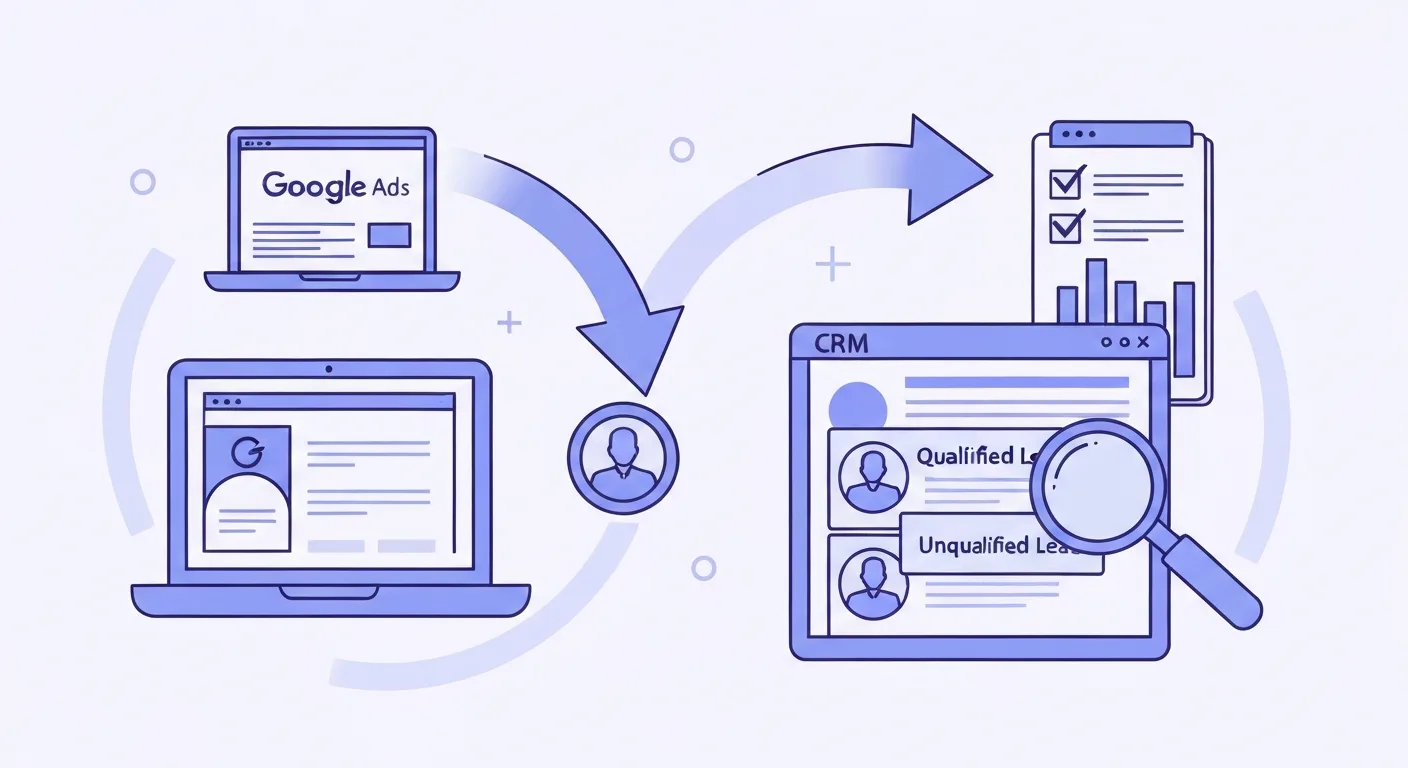
Stop optimising for form fills. Set your primary conversion goal to qualified enquiries, classify every lead your team receives, and send those quality signals back to Google Ads. That is the fix. In 2026, Google released three tools that make this quality signal loop easier to close than at any point before, and professional services firms that implement it pay materially less for leads that actually convert.
Legal and financial services are the most expensive categories in Google Ads. According to WordStream’s 2026 Google Ads benchmarks, attorneys and legal services firms pay an average of $131.63 per lead. Finance and insurance firms pay $74.44. At those prices, you cannot afford to keep teaching Google’s AI to find people who fill out contact forms and disappear.
Most professional services firms are doing exactly that. The problem is not the ads. It is the tracking.
Why Google Ads Keeps Sending the Wrong People
Google Ads Smart Bidding is genuinely good at maximising whatever conversion goal you set. That is also its trap.
Most law firms, accountancy practices, financial advisory firms, and consulting businesses set their primary conversion to “form submitted” or “contact page viewed.” Google learns to find people who are likely to submit a form, not people who are likely to become clients.
The result is predictable: volume goes up, close rate goes down, and your team burns hours on enquiries that were never realistic prospects. Wrong jurisdiction. Wrong budget. Outside your practice scope. People gathering free information they will never act on.
The algorithm is not failing. You just have not told it what a good outcome actually looks like.
That is what the quality signal loop fixes.
What the Quality Signal Loop Is
Three steps, running continuously:
- A prospect clicks your ad and submits an enquiry.
- Your team classifies that enquiry as qualified, unqualified, or converted.
- You send the qualified classification back to Google Ads.
Google’s algorithms use those classifications to adjust who sees your ads next. Over time, they find more people who look like your qualified prospects and fewer who look like the time-wasters.
Simple in principle. In practice, most firms never close step three. Their Google Ads account and their CRM or practice management system are not connected, so the quality data sits in one place while Google keeps optimising for raw form fills in another.
In 2026, Google released tools that make this loop easier to close without custom engineering. Here is what they are and how to use them.
Three Tools That Change the Lead Quality Equation
The Google Ads Lead Management Dashboard
Google has built a CRM-like interface directly inside Google Ads. You can see total leads, new leads, qualified leads, and lost leads without leaving the platform. Individual lead records include contact information and funnel stage.
The more important feature is what sits behind the interface: lead quality signals can now be synced directly back to Smart Bidding from within the dashboard. When you mark a lead as qualified inside Google Ads, that classification feeds back into the bidding algorithm and changes what it targets next.
For practices that do not yet have a CRM, or whose CRM is not connected to Google Ads, this dashboard is the fastest path to a working signal loop. You do not need a developer or an integration project. You classify leads directly in Google Ads, the platform learns from those classifications, and you upgrade to a full CRM sync later.
Business Agent for Leads
Google is rolling out conversational AI within Search Ads that lets prospects ask questions before they click through. Instead of seeing a static headline and deciding whether to visit your site, a prospect can ask the Business Agent about your services, practice areas, pricing structure, or availability, and receive answers sourced from your website content.
For professional services, this matters more than it does for most other industries. Enquiry quality is closely tied to how well a prospect understands what you do and whether their situation fits your practice. A prospect who has already confirmed through a conversation that you handle their type of matter, in their region, at a realistic fee level is a meaningfully different enquiry from someone who clicked “lawyer Auckland” and hoped for the best.
Business Agent interactions also generate signal. Conversations that end in a form submission or a call tell Google what qualified intent looks like, which helps bidding find more of it.
The feature is in active rollout. To prepare, make sure your website copy clearly describes your specific service areas and practice scope, the types of situations you handle, what the first step looks like (free call, paid consultation, written engagement), and ideally, the types of clients or situations that are not a good fit. Business Agent answers are grounded in your site content. Vague site copy produces vague Agent answers, and the pre-qualification benefit disappears.
Improved Offline Conversion Sync
Offline conversion import has existed in Google Ads for years. What has changed is the emphasis: Google now actively pushes advertisers to import not just “signed client” but intermediate quality signals like “enquiry qualified” or “consultation booked.”
The more granular your import, the more useful the signal. A firm that only imports “signed engagement” gives the algorithm a signal that arrives three to six weeks after the original click. A firm that also imports “consultation booked” gives it a signal within a week. Faster feedback means faster learning and fewer budget cycles wasted on the wrong traffic.
For practices running a CRM, the implementation is straightforward. When a lead moves to a qualified stage, that status change triggers an upload to Google Ads via the Google Ads API or a no-code connector like Zapier or Make. The upload includes the click ID (gclid) from the original ad click, which lets Google match the quality classification back to the specific campaign and keyword that generated the lead.
If you are not yet capturing the gclid on your forms, add it as a hidden field. Most form builders support this via URL parameter. Without it, offline conversion matching fails and the loop breaks at step three.
Building the Loop: Five Steps
Step 1: Change Your Primary Conversion Goal
Stop using raw form submissions as your Smart Bidding target. They are useful secondary data, but the algorithm should not optimise for them directly.
If you take consultation bookings online via a scheduling tool, the booking confirmation is the right primary conversion. It is a higher-intent action and far more closely correlated with whether a prospect is serious.
If bookings happen off-platform after a call, define your primary goal as “qualified lead” and feed it back via offline conversion import. Track form submissions as a secondary conversion to retain the volume data, but make sure the bidding algorithm chases quality, not volume.
Step 2: Set Up the Lead Management Dashboard and Classify Everything
Open the lead management section in Google Ads. For every enquiry that comes through a Google-hosted form, classify it within 24 to 48 hours. Make this part of someone’s daily or twice-weekly routine. The algorithm learns faster from recent signal than from batches uploaded once a month.
If you run landing page forms rather than Google’s native lead forms, the dashboard still provides visibility into lead counts and status. Quality classification for those leads happens via offline import rather than directly in the dashboard, but the principle is the same: consistent, timely classification.
Step 3: Connect Your CRM to Google Ads
Three common setups, in order of simplicity:
Native connectors. HubSpot, Salesforce, and several other major CRMs have direct Google Ads integrations that automatically push lead stage changes back as offline conversions. If you use one of these platforms, this is typically a one-afternoon configuration, not a development project.
No-code connectors. If your CRM does not have a native integration, a Zapier or Make automation can watch for stage changes and trigger an offline conversion upload. You need the gclid captured as a hidden field on your forms and stored in your CRM alongside each lead record.
Direct API. If you have developer resource and are spending $5,000 or more per month on Google Ads, the Google Ads API gives you more reliability and flexibility than a connector-based setup. The investment is justified at that spend level.
For help setting up the foundational conversion tracking layer before you build the CRM sync, our Google Analytics 4 setup guide for lead generation covers what needs to be in place first.
Step 4: Prepare Your Content for Business Agent
Run a content audit against the questions a prospective client would ask before committing to an enquiry:
- What specific situations do you help with? Not “we handle employment law” but “we advise employees facing unfair dismissal and employers managing restructures.”
- What does the first step look like, and is there a cost?
- What regions or jurisdictions do you serve?
- What types of situations or clients are outside your scope? Stating this upfront saves your team time and gives the algorithm a clearer picture of what an unqualified enquiry looks like.
Concrete copy serves both purposes. It improves landing page conversion for prospects who click through, and it gives Business Agent specific, grounded answers to use in pre-click conversations.
For context on how the same dynamic is playing out on Meta, see our post on Meta Lattice and professional services lead generation. The principle is consistent: the AI handles distribution, your content and signal quality decide the outcome.
Step 5: Move to Value-Based Bidding When You Have Enough Signal
Once you have 30 or more qualified conversion events in a 30-day window, test value-based bidding. Assign different values to different stages: a confirmed consultation is worth more than a form fill, a signed engagement is worth more than a confirmed consultation.
Smart Bidding then optimises to maximise total value rather than total volume. It becomes willing to pay more per click for searches that historically produce higher-value enquiries, and less for searches that produce lower-value ones. For practices where matter values vary significantly across service areas, this can redirect budget toward your most profitable work automatically.
What the Loop Is Actually Worth: The Arithmetic
Here is a calculation you can apply to your own numbers.
Take the 2026 industry average cost per lead for legal services: $131.63, sourced from WordStream. If your current close rate is 25 percent, one in four enquiries becomes a client, and your effective cost per new client is $526.
Now assume the quality signal loop improves your close rate to 40 percent, with the same cost per lead. Your effective cost per new client falls to $329. That is a saving of $197 per client, with no change to your ad spend.
At 20 new clients per month, that saving is $3,940 per month, roughly $47,000 annually. The saving does not come from paying less per click. It comes from Google finding better clicks because you gave it better signal.
For financial advisory practices paying $74.44 per lead with a 20 percent close rate, the effective cost per new client is $372. Lifting close rate to 35 percent brings that to $213 per client. For a practice generating 15 new clients per month, that is $2,385 per month recovered without touching the budget.
Your numbers will differ. The multiplier from improving close rate while holding spend constant applies regardless of where you start.
Common Mistakes That Break the Loop
Importing only signed clients. That signal arrives too slowly. By the time the algorithm learns a keyword produced a paying client six weeks ago, your campaign has already spent thousands on other keywords. Import intermediate quality signals: “enquiry qualified,” “consultation booked,” “proposal accepted.”
Optimising for weak proxy metrics. If “time on page over two minutes” or “brochure download” is your primary conversion goal, you are giving the algorithm a signal that is only loosely correlated with a paying client. Useful as secondary data. Wrong as a bidding target.
Fragmenting campaigns unnecessarily. Google’s AI learns faster with pooled data. A single well-structured campaign with Smart Bidding often outperforms several tightly siloed campaigns running smaller budgets separately. For more on campaign structure for NZ service businesses, see our guide on Google Ads AI Max.
Leaving Business Agent preparation too late. The feature is rolling out now. If your website copy is generic or written primarily for humans scanning for a phone number, you will not benefit from the pre-qualification conversations it enables. Audit and update your content before the feature is fully live in your market.
Frequently Asked Questions
Do I need a CRM to close the quality signal loop?
No. The Google Ads lead management dashboard lets you classify lead quality directly inside Google Ads for enquiries coming through Google-hosted forms. It is a manual process, but it works and generates real signal. A CRM integration automates the process and is the right upgrade once you are spending several thousand dollars a month and handling significant lead volume.
How many qualified conversions do I need before Smart Bidding improves?
Google recommends at least 30 conversions per month for Smart Bidding to perform reliably. If your qualified conversion volume is below that, use a target CPA strategy rather than value-based bidding, and use the lead management dashboard to classify quality manually so signal accumulates over time. The loop still works at lower volume; it just learns more slowly.
What if I use landing page forms instead of Google native lead forms?
You can still close the loop via offline conversion import. You need to capture the gclid as a hidden field on your form and store it in your CRM alongside the lead record. When a lead’s status changes to qualified, the gclid is what lets Google match the quality signal back to the original click. Most landing page builders support hidden field capture via URL parameter.
Will Business Agent replace my landing page?
Not for most professional services interactions. Business Agent handles early qualification within the ad experience. Once a prospect confirms their situation fits your practice and decides to act, they still click through to your site or submit a form. Think of it as a pre-filter that improves the quality of what reaches your landing page, not a replacement for it.
Is this worth setting up for a smaller practice?
At the CPLs that legal and financial services pay in Google Ads, even modest improvements in close rate pay for the setup time quickly. If your practice generates 10 to 15 enquiries per month from Google Ads at $74 to $131 per lead, closing the quality signal loop is worth prioritising. Setting up the lead management dashboard takes an afternoon. A full CRM integration is a larger project, but it is a one-time investment with compounding returns as the algorithm accumulates quality signal over time.
Make Google Find Your Next Client, Not Just Your Next Form Fill
The firms that win with Google Ads in 2026 treat it as a learning system, not a traffic machine. Feed it quality signal and it finds quality. Leave it optimising for form fills and it delivers exactly that.
If you want your Google Ads account set up to attract qualified enquiries rather than time-wasters, we do this for professional services firms across New Zealand. Book a strategy call with Lucid Leads and we will audit your current conversion tracking, identify where the signal loop is broken, and map out the fix.
Ready to Generate More Leads?
Let's discuss how we can help you get 30 qualified leads in 30 days with our proven TAP System.
Book a Free Strategy CallRelated Articles
Continue learning about lead generation and paid advertising

Real Estate Lead Generation: How It Works and What You Should Pay
A practical guide to real estate lead generation: how the funnel works, what a qualified lead is worth, and how to choose the right channel for your market.

Lead Gen News: July 2026 - Google's Journey Bidding, New Lead Dashboard, and Meta's AI Creative Push
The latest in lead generation: Google's journey-aware bidding, new lead dashboard, Local Services Ads changes, DSA retirement, and Meta's AI creative push.
Written by

Founder & Lead Generation Specialist
Jason Poonia is the founder of Lucid Leads, helping service businesses across New Zealand generate qualified leads through paid advertising and conversion-focused funnels. With a background in Computer Science from the University of Auckland and over 5 years of experience running lead generation campaigns, Jason has helped businesses in construction, trades, real estate, and professional services generate thousands of qualified leads. His data-driven approach combines targeted ad strategies with rapid lead qualification to deliver prospects who are ready to buy.