Google Ads AI Max for Search: What NZ Service Businesses Need to Know Before September
If you’re running Google Ads Search campaigns in New Zealand, a significant change is coming. Google is retiring Dynamic Search Ads (DSA) and replacing them with a new AI-powered feature set called AI Max for Search. Automatic migrations start in September 2026, but if you wait until then, you’ll have less control over how your campaigns are configured.
The short answer: Google Ads AI Max for Search is not a new campaign type. It is an optional set of features you can activate inside your existing Search campaigns. When used correctly, it can expand your reach and generate more conversions at a similar cost per lead. When used incorrectly, particularly for lead generation businesses with strict quality requirements, it can inflate form submissions while delivering fewer qualified prospects.
This guide explains what AI Max does, who should use it, and how NZ service businesses can prepare before the September deadline.
What Is Google Ads AI Max for Search?
AI Max for Search is a set of optional features that sit on top of your existing Search campaigns. Google released it in early 2025, with full availability from Q3 2025. It is not a replacement for Search campaigns the way Performance Max replaced Smart Shopping. Your keywords stay in place. What changes is how Google uses them.
When you enable AI Max for Search, your campaigns gain three core capabilities:
Search Term Matching
Standard Search campaigns match your ads to queries based on your keywords. AI Max adds a layer of keywordless matching, where Google uses signals from your keywords, your ad copy, and your landing pages to find additional search queries your keywords might not cover.
The matching priority order is: Exact match first, then Phrase match, then Broad match, and finally keywordless matching. Your existing match type structure still directs the majority of your traffic, with AI filling gaps at the bottom of that hierarchy.
Text Customisation
AI Max uses your existing ad headlines, descriptions, and landing page content to generate query-relevant ad variations. If someone searches for “emergency plumber Auckland” and your campaign targets “plumber Auckland”, the text customisation feature can tailor the headline to better match that specific query.
This requires strong source material. Weak ad copy and thin landing pages produce weak AI-generated variations. The quality of your inputs determines the quality of the output.
Final URL Expansion
With this feature enabled, Google can route users to a different landing page on your site than the one you specified, if it determines another page is more relevant to the query. For example, a search for “bathroom renovation cost” might be sent to your pricing page rather than your main services page.
Final URL Expansion only works when Text Customisation is also enabled. Both features can be toggled independently, and you can use AI Max with just the Search Term Matching component if you want a more conservative rollout.
Why This Matters for NZ Service Businesses
New Zealand’s service sector, covering trades, healthcare, legal, financial advice, and professional services, runs on lead quality. One bad lead wasted on a technician’s time costs real money. That is the central tension with AI Max: it is designed to maximise conversion volume, not necessarily conversion quality.
Google’s own numbers look encouraging on the surface: reported lifts range from around 7% more conversions at a similar CPA or ROAS (Search Engine Land) up to roughly 14% for advertisers enabling the full feature suite (Search Engine Land’s fuller write-up), depending on the feature mix and how success is measured.
Third-party results back this up. Australian comparison service MyConnect reported 16% more leads with a 13% reduction in cost per lead after enabling AI Max, and around 30% of those extra conversions came from query types their existing keyword lists had never captured. Those are incremental leads a standard keyword campaign would have missed entirely. For local context on what a lower cost per lead is worth, WordStream’s 2026 Google Ads benchmarks put home services at around USD $91 per lead, legal services near USD $132, and dental practices around USD $73. A double-digit reduction on those baselines is real money for a business running a meaningful monthly budget.
Here is the catch for service businesses: those are volume gains. AI Max optimises toward whatever you count as a conversion. If your campaign currently tracks form submissions as conversions, Google will optimise toward more form submissions, including low-quality ones. If you are tracking phone calls, Google optimises toward calls, not toward bookings. This is why your conversion tracking setup matters more than it ever has before.
Before you turn on AI Max, your conversion tracking needs to reflect real business outcomes. For most NZ service businesses, that means:
- Tracking qualified enquiry form submissions, not just any submission
- Including phone call conversions with a minimum call duration threshold
- Ideally, importing offline conversion data such as CRM-qualified leads or closed jobs
If your tracking is solid, AI Max can deliver genuine incremental volume. If it is not, AI Max will find you more of whatever you are currently measuring, and that may not be what you actually want.
The DSA Retirement Deadline
Dynamic Search Ads have been a useful tool for service businesses wanting to catch long-tail queries without building out exhaustive keyword lists. That tool is going away.
Google is stopping new DSA campaign creation and automatically migrating all existing DSA campaigns to AI Max starting in September 2026. If you wait for the automatic migration, Google will handle the setup for you, but you will have less input into how the features are configured and which landing pages are used as signals.
Google strongly recommends migrating before September to maintain control over the setup. The voluntary migration window is open now. If you currently run DSA campaigns, this is the time to review them, clean up your landing pages, and set up AI Max on your own terms rather than on Google’s default settings.
How to Set Up AI Max for Lead Generation
Here is a practical approach for NZ service businesses starting with Google Ads AI Max:
Step 1: Audit Your Conversion Tracking First
Before touching your campaign settings, open your conversion actions and confirm you are measuring something meaningful. A phone call that lasted under 30 seconds is probably not a lead. A form submission triggered by an accidental click is not a lead. Fix the tracking before adding AI features that will optimise toward your current signals.
For more detail on setting up accurate call tracking, see our guide on phone call lead tracking for Google Ads.
Step 2: Build a Strong Exact Match Foundation
AI Max works best as an expansion layer on top of a tight, well-structured Search campaign. If your existing campaign is broad and disorganised, AI Max will amplify the noise. Before enabling it, ensure your campaign has:
- A Smart Bidding strategy already in place: Maximise Conversions, Maximise Conversion Value, target CPA, or target ROAS. AI Max is not compatible with Manual CPC, so switch first if you are still bidding manually
- Tightly grouped ad groups with three to five closely related keywords
- Responsive Search Ads with “Good” or “Excellent” ad strength ratings
- Negative keyword lists that exclude irrelevant traffic
- A minimum of 30 conversions in the last 30 days, with 50 or more preferred
That threshold matters. Smart Bidding needs sufficient conversion data to learn effectively. Below 30 conversions per month, AI Max’s automated features will struggle to optimise, and you may see unstable performance in the early weeks.
Step 3: Enable AI Max Features Selectively
You do not have to turn everything on at once. The recommended order for service businesses is:
First, enable Search Term Matching only. This is the lowest-risk starting point. Monitor the new search queries it surfaces in your search terms report and add negatives where needed.
Next, add Text Customisation once you have confirmed the query expansion is pulling in relevant traffic. Review the AI-generated ad variations to ensure tone and messaging are consistent with your brand.
Then consider Final URL Expansion carefully. For businesses with a dedicated landing page for campaigns, this feature may route traffic away from your optimised page. If you have invested in a high-converting landing page, leaving Final URL Expansion off is often the right call.
Step 4: Set Brand Exclusions and Location Controls
AI Max includes controls to prevent your ads from showing for your own brand terms, which is important if you run separate brand campaigns. It also includes location-of-interest targeting, which can expand reach beyond your physical location to users researching your area from elsewhere.
For a Wellington-based plumbing business, this means your ad can show to someone in Auckland searching “Wellington plumber”. Depending on your service model, this may be irrelevant. Use the location controls to define exactly where you want your ads to appear.
Step 5: Test With a Campaign Experiment Before Full Rollout
Do not switch AI Max on across your whole account on day one. Use Google’s built-in Campaign Experiments tool to split traffic 50/50 between an AI Max version and your existing setup, and run it for at least four weeks to cover the AI’s learning period. That gives you a clean, data-driven comparison instead of a guess. During that window, the single most important task is checking your search terms report weekly and adding negatives for any irrelevant queries the keywordless matching surfaces. That one habit is what keeps your cost per lead under control while the system learns.
Who Should Not Enable AI Max Right Now
AI Max for Search is not right for every account. Consider holding off if:
Your campaign gets fewer than 30 conversions per month. Without sufficient data, Smart Bidding and AI Max cannot optimise reliably.
You operate in a regulated industry where ad copy requires exact approval, such as financial advice or legal services. AI-generated ad variations may not meet compliance requirements without manual review.
Your website has weak content or thin landing pages. AI Max pulls signals from your landing pages, so if those pages are underdeveloped, the AI has little to work with and the results will reflect that. Before enabling it, make sure your key service pages clearly describe what you do and what the next step is. Our guides to 7 landing page elements that triple conversion rates and writing landing page copy that converts NZ visitors into leads cover the essentials.
Your conversion tracking is based on unreliable signals. Fix tracking first, always.
For a broader look at how Search campaigns and Performance Max compare in structure, see our post on the difference between Search campaigns and Performance Max.
What Happens After September If You Do Not Migrate
If you take no action on your DSA campaigns, Google will auto-migrate them starting September 2026. You will receive notifications about which campaigns are affected. The migration will apply AI Max’s default settings, which may not reflect your preferred configuration for text customisation, URL expansion, or targeting controls.
You will not lose your campaign history or conversion data. The ad groups and keywords carry over. But you will be starting from Google’s defaults rather than settings you have tested and refined yourself.
The safer approach is to migrate before September, run a four-week test with AI Max enabled, and have time to optimise before automatic changes roll through accounts that have not acted.
Frequently Asked Questions
Does Google Ads AI Max replace my keywords? No. Keywords remain the foundation of your Search campaign. AI Max adds keywordless matching as a lower-priority expansion layer. Your existing match types still control the majority of your traffic.
Will AI Max increase my cost per lead? It depends on your setup. With solid conversion tracking and sufficient conversion volume, many advertisers maintain or improve cost per lead. With weak tracking, AI Max may inflate form submissions that do not convert to real leads, which appears to keep CPL stable while actually degrading lead quality.
Do I need to create new campaigns to use AI Max? No. AI Max is enabled within your existing Search campaigns via a settings toggle. You do not need to rebuild your campaign structure.
What is the difference between AI Max and Performance Max for lead generation? Performance Max runs across all of Google’s inventory, including Search, Display, YouTube, Gmail, and Maps. AI Max applies only within Search campaigns. For service businesses new to Google Ads automation, AI Max is typically the more controlled starting point. Performance Max requires careful asset group setup and robust offline conversion data to perform well for lead generation.
When does Google stop creating new DSA campaigns? Google stops allowing new Dynamic Search Ad campaign creation and begins automatic migrations in September 2026. Existing DSA campaigns that have not been manually migrated will be automatically transitioned at that point.
If you are unsure whether your Google Ads account is set up to get the most out of AI Max, or if you want a second opinion on your conversion tracking before enabling any new features, book a strategy call with the Lucid Leads team. We work with NZ service businesses to build Google Ads campaigns that generate qualified leads, not just form submissions.
Ready to Generate More Leads?
Let's discuss how we can help you get 30 qualified leads in 30 days with our proven TAP System.
Book a Free Strategy CallRelated Articles
Continue learning about lead generation and paid advertising
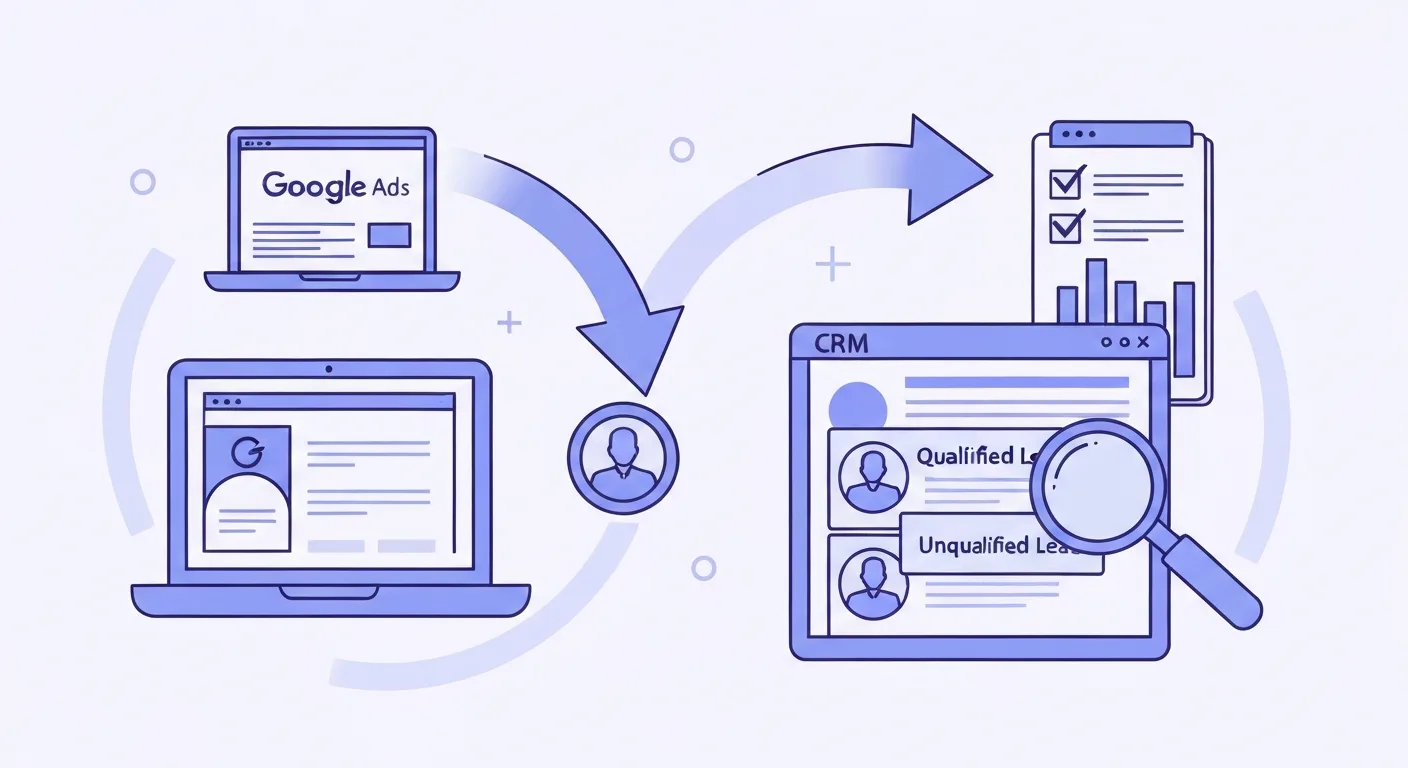
How to Get Google Ads to Send You Qualified Clients, Not Junk Leads
Professional services firms in NZ pay top dollar for Google Ads clicks. Here's the quality signal loop that makes Google AI find clients, not form-fill junk.

Real Estate Lead Generation: How It Works and What You Should Pay
A practical guide to real estate lead generation: how the funnel works, what a qualified lead is worth, and how to choose the right channel for your market.
Written by

Founder & Lead Generation Specialist
Jason Poonia is the founder of Lucid Leads, helping service businesses across New Zealand generate qualified leads through paid advertising and conversion-focused funnels. With a background in Computer Science from the University of Auckland and over 5 years of experience running lead generation campaigns, Jason has helped businesses in construction, trades, real estate, and professional services generate thousands of qualified leads. His data-driven approach combines targeted ad strategies with rapid lead qualification to deliver prospects who are ready to buy.